Actual SitterPlan iPhone screenshots • September 30, 2026 • Public consent walkthrough; no login required.
SMS is your choice
SitterPlan is operated by Veteran Standard Company. You can create your account and use SitterPlan without subscribing to text alerts. Enrollment and delivery are currently awaiting campaign approval.
1. Choose whether to subscribe
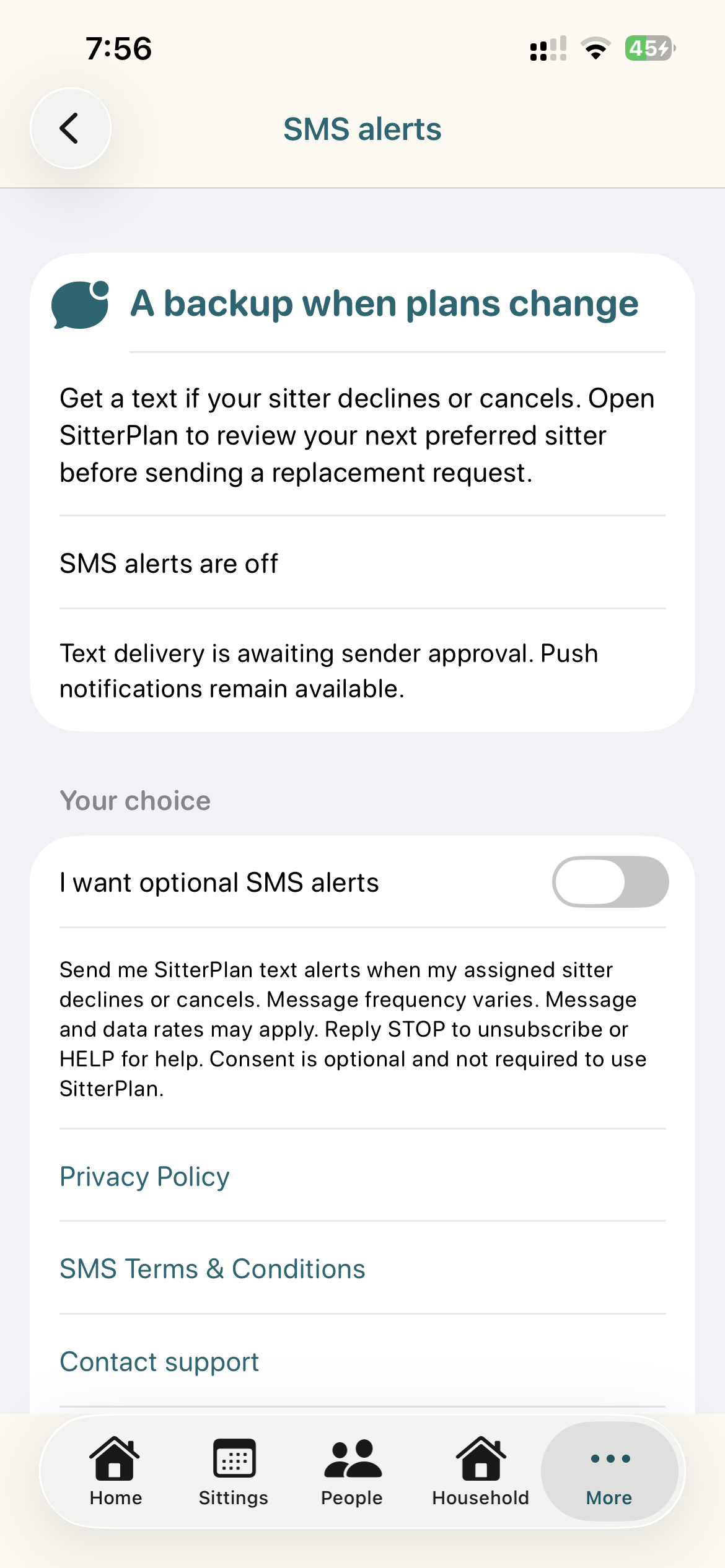
After signing in to your own verified account, open Notifications → SMS cancellation alerts. The “I want optional SMS alerts” toggle starts off. You can leave it off and use the back button to continue using the app. Adding someone to household contacts does not enroll them.
2. Read the disclosure before choosing
Send me SitterPlan text alerts when my assigned sitter declines or cancels. Message frequency varies. Message and data rates may apply. Reply STOP to unsubscribe or HELP for help. Consent is optional and not required to use SitterPlan.
The same section provides links to the Privacy Policy, SMS Terms & Conditions, and support.
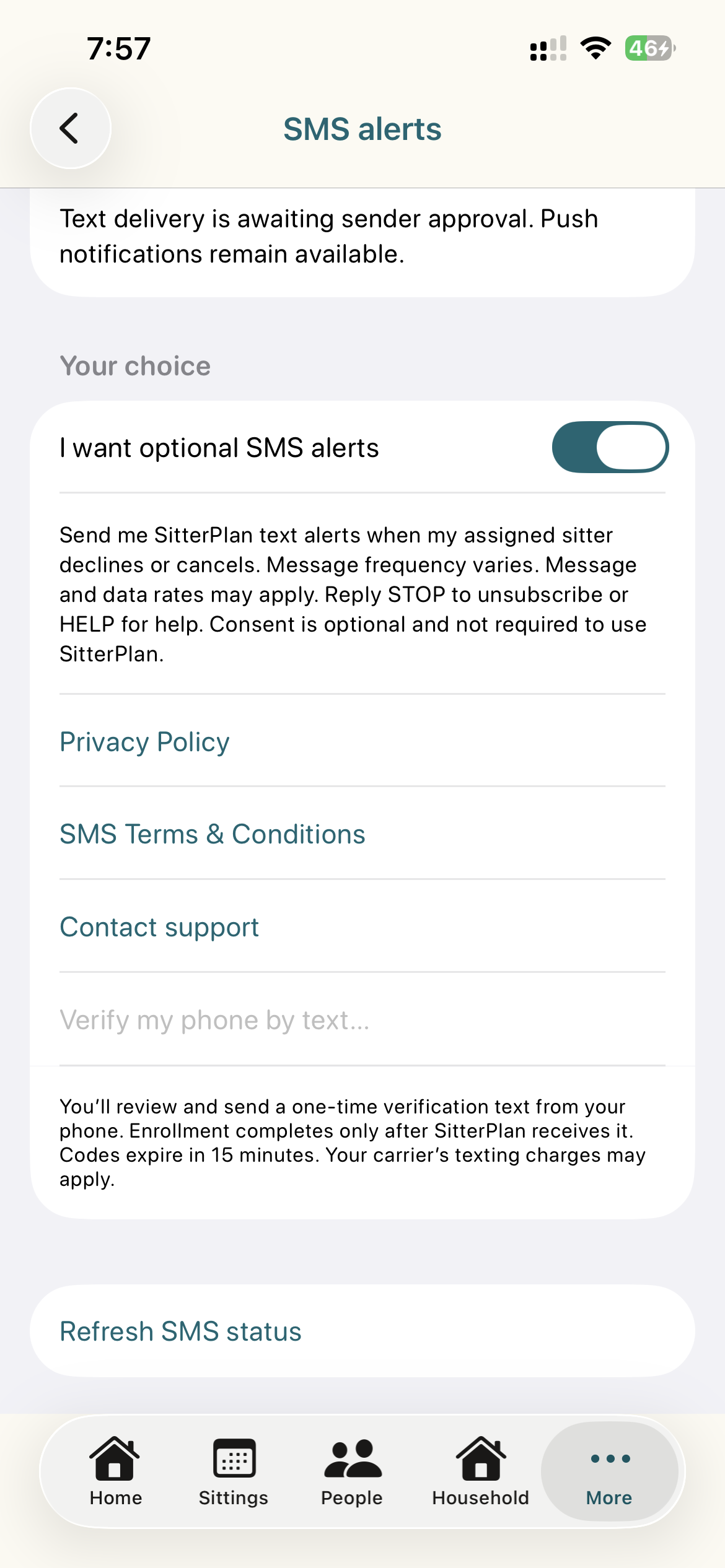
The first screenshot shows the full disclosure and policy links; the next shows the verification button and instructions below them.
3. Actively turn on the optional toggle
Turning the toggle on expresses the choice to begin phone verification. It does not itself enroll the phone or send any SMS. While campaign approval is pending, the verification button remains unavailable even when the toggle is on.
4. Review and send verification from your phone
After enrollment is available, tapping “Verify my phone by text…” prepares an iPhone message addressed to +1 (831) 406-5595. Its body is JOIN followed by a one-time 24-character code. The user must press Send in the message composer. They may cancel instead; opening or canceling the composer does not subscribe them. Verification codes expire after 15 minutes. Carrier texting charges may apply. JOIN without the issued code does not enroll.
This step describes the implemented, approval-gated verification behavior; the screenshots above do not claim a verification text was sent.
5. Confirmation and control
Only receipt of the matching verification code from the sending phone enables enrollment. SitterPlan then replies:
SitterPlan: SMS alerts are enabled for sitter cancellations. Message frequency varies. Message and data rates may apply. Reply STOP to unsubscribe or HELP for help.
Refresh SMS status in the app to check enrollment. Reply STOP or use “Turn off SMS alerts” in the app to unsubscribe. Reply HELP for assistance. START alone does not re-enroll; complete a fresh verification in the app.
One opt-in path
In-app consent plus user-sent verification is the only enrollment path. This public page documents it; it is not an enrollment form. There is no verbal, paper, QR, purchased-list, website-form or automatic household-contact subscription.